
Broadcasting Live to your Online Audience with SonicPanel
At Online Audience, we know that while AutoDJ is the backbone of your station, the “Magic” happens during live shows. Connecting your local studio software to SonicPanel is a game-changer for professional broadcasters.
In this guide, we break down the exact settings you need for Winamp, SAM Broadcaster, and RadioBOSS. By the end of this article, you will be speaking directly to your Online Audience with crystal clear audio.
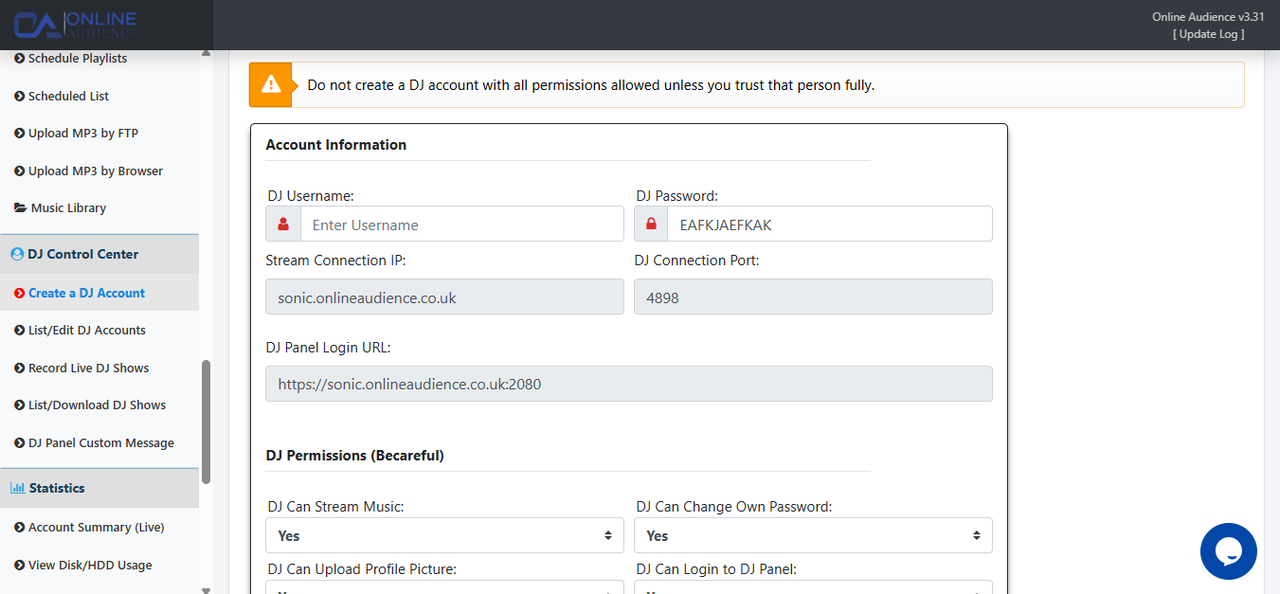
Security is paramount. You should never use your admin password for encoders. Use the SonicPanel DJ menu to create individual access for every presenter.
SAM Broadcaster is an industry favorite. To connect to your Online Audience server, you need to configure your encoders within the Desktop B interface.

Ensure you select Icecast v2 and enter your DJ credentials as username:password in the password field.
RadioBOSS is favored for its robust stability. To reach your Online Audience, navigate to the settings and add a new broadcast encoder.
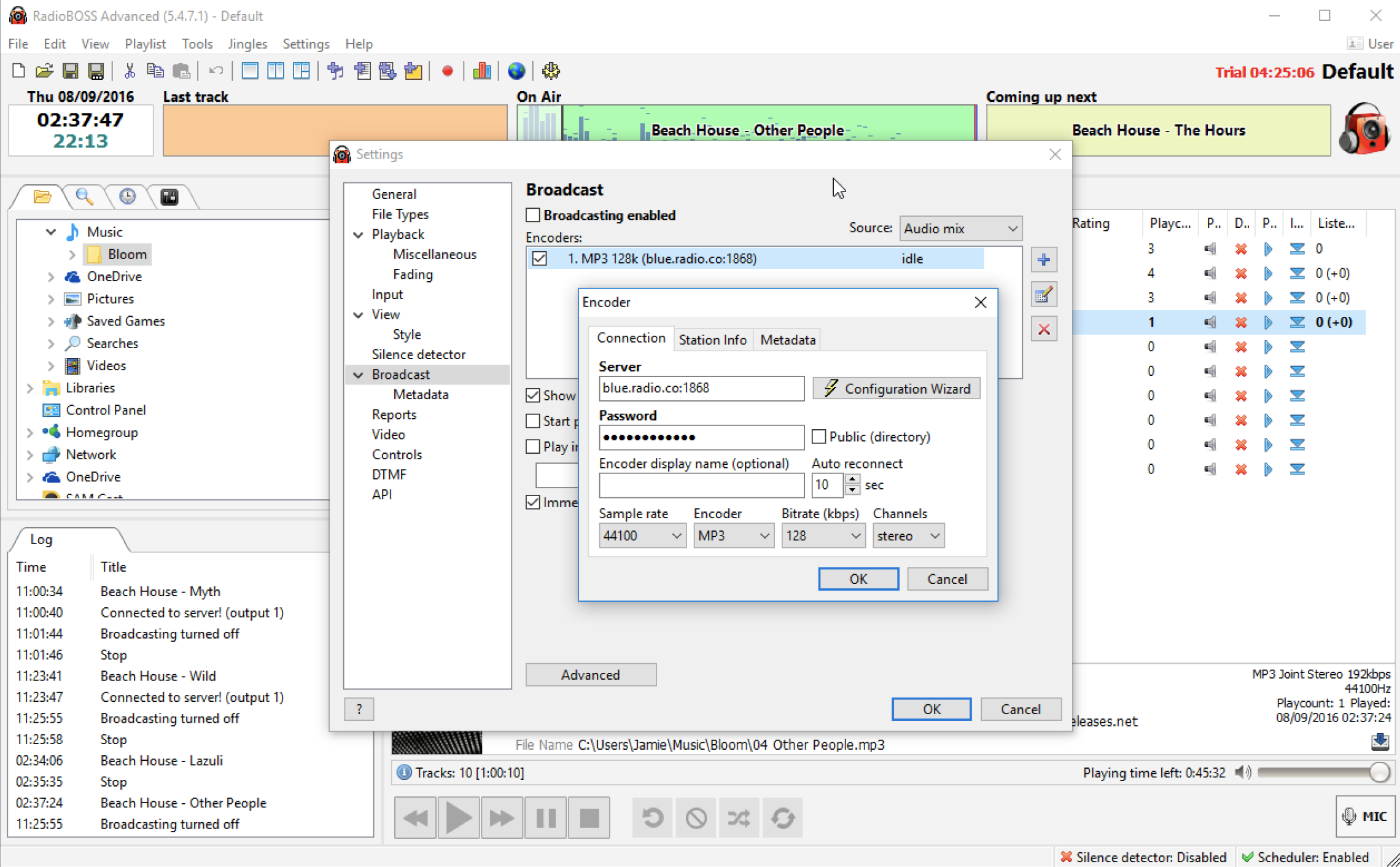
Ensure the Metadata options are checked so your Online Audience can see the current song titles on your web player.
Even for legacy setups, Winamp remains a powerful way to stream to your Online Audience using the Edcast or Butt plugins.
Your Online Audience is waiting. If you are having trouble getting your software to “Handshake” with our SonicPanel servers, our team is ready to assist.